Drop
A rootless Linux sandbox for developers
Drop is a rootless Linux sandbox designed for developers to isolate programs and coding agents without leaving their familiar work environment. It solves the problem of security risks associated with running untrusted third-party code or autonomous coding agents with dangerous permissions.
By creating disposable, isolated environments inspired by Python's virtualenv, Drop hides your actual home directory and restricts network access. It is built for Linux developers who want to run AI agents or install third-party packages from sources like PyPI and npm safely and with zero container setup work.
Key Features
Isolation for coding agents
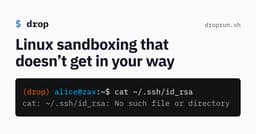
Run agents with --dangerously-skip-permissions while Drop enforces permissions at the OS level: a hallucinated rm -rf ~ doesn't touch your real home dir, prompt injections targeting ~/.ssh find nothing, and connections to localhost services are rejected.
Isolation for third-party programs
Install packages from PyPI, npm, or other sources without granting them full access to your user account, containing damage from malicious or compromised software in supply chain attacks.
Disposable environments
Create and enter easily disposable environments, each with its own home directory, while the original home is hidden — modeled on the virtualenv workflow.
Uses your existing distribution
No container setup work required: every program already installed on your system is available in the sandbox, unlike Docker/Podman-based approaches.
TOML configuration
A high-level TOML config specifies which files, directories, and local network services are exposed to the sandbox. Environments share a base config by default, so you configure Drop once and create new environments with no extra setup.
Rootless operation
Runs without root inside a Linux user namespace with its own process, mount, network, IPC and cgroup namespaces, and drops all user namespace capabilities before executing the sandboxed program.
Optional gVisor integration
Programs can run on the gVisor user-space kernel as an additional isolation layer that prevents direct access to the host kernel, reducing the potential to exploit kernel vulnerabilities.
How It Works
- 1
Create isolated environments
Drop creates disposable, isolated environments similar to Python virtualenvs, each with its own home directory while your original home is hidden from the sandbox.
- 2
Configure exposure via TOML
You specify which files, directories, and local network services the sandbox can access using a high-level TOML config; all environments share a configurable base config by default.
- 3
Enforce isolation at the OS level
Drop runs rootless within Linux user, process, mount, network, IPC and cgroup namespaces, drops all user namespace capabilities before execution, and can optionally run programs under the gVisor user-space kernel.
Pros & Cons
Pros
- Rootless design — no root privileges required to run
- Uses your existing Linux distribution, so already-installed programs work in the sandbox without container image setup
- OS-level enforcement protects against hallucinated destructive commands and prompt injections targeting sensitive files like ~/.ssh
- Disposable, virtualenv-style environments that hide your original home directory
- Flexible TOML configuration with a shared base config, so new environments need no setup
- Optional gVisor integration adds a user-space kernel layer that guards against kernel vulnerability exploitation
Cons
- Linux-only — it relies on Linux user namespaces and is not available for macOS or Windows
- gVisor integration is optional, so without it programs still use the host kernel directly
- No container image system: isolation depends on your host distribution, so reproducing environments on other machines is not a described feature
- Default exposure rules require careful TOML configuration to balance usability and security
Who It's For
Best for
- Developers running AI coding agents who want OS-level permission enforcement instead of relying on agent-side permission prompts
- Developers who install third-party packages from PyPI, npm, or other sources and want supply chain attacks contained
- Linux users who want sandboxing without the overhead of Docker or Podman container setups
- Teams or individuals who want disposable, virtualenv-style isolated environments that reuse their existing toolchain
Not ideal for
- macOS or Windows users, since Drop is built on Linux namespace features
- Workloads that require root or privileged operations inside the sandbox, such as bind mounts, since Drop drops all user namespace capabiliti
- Use cases that need fully reproducible container images or distribution-independent environments
Use Cases
- Developers isolating coding agents running with --dangerously-skip-permissions
- Developers installing third-party programs from PyPI or npm safely
- Developers preventing prompt injections from accessing ~/.ssh
- Developers containing supply chain attacks from malicious installed programs
FAQ
What is Drop?
Drop is a rootless Linux sandbox for developers that isolates programs and coding agents without taking you out of your familiar work environment.
How does Drop protect against malicious or hallucinated commands from coding agents?
Drop enforces permissions at the OS level. You can run agents with --dangerously-skip-permissions and a hallucinated rm -rf ~ won't touch your actual home directory, a prompt injection targeting ~/.ssh finds nothing, and connections to services on localhost are rejected.
Does Drop require root or containers?
No. Drop doesn't require root and doesn't use Docker or Podman containers. It runs within a Linux user namespace with its own process, mount, network, IPC and cgroup namespaces, and uses your existing distribution so already-installed programs are available in the sandbox.
How do Drop environments work?
Inspired by Python's virtualenv, Drop lets you create easily disposable environments. Each environment has its own home directory while your original home is hidden.
Can I control what the sandbox can access?
Yes. A high-level TOML configuration lets you specify which files, directories, and local network services are exposed to the sandbox. By default all environments share a base config, so you configure Drop once and create new environments without additional configuration work.
What is the gVisor integration?
As an option, Drop supports running programs on the gVisor user-space kernel, an additional isolation layer that prevents programs from accessing the host kernel directly, significantly reducing the potential to exploit kernel vulnerabilities.
Which platforms does Drop support?
Drop is a Linux sandbox. It relies on Linux user namespaces and related kernel features, so it runs on Linux.
How much does Drop cost?
Pricing information is not published on the product's website.