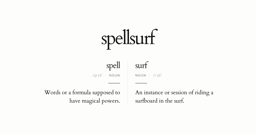
Discover and create new words
Spellsurf is a web-based tool designed for discovering and creating new words by combining two input words (Left word and Right word) with customizable filters. It solves the problem of generating unique or fitting vocabulary for creative projects, offering controls for part of speech (Noun, Verb, Adjective, Adverb), syllable count, word relationships, and slicing options. This tool is intended for writers, poets, game developers, and language enthusiasts who need to experiment with word combinations in a structured yet playful way.
Accepts two separate words (Left word and Right word) as the base for generating combined terms.
Allows filtering the combined output by selecting All, Noun, Verb, Adj (Adjective), or Adv (Adverb) for each input word.
Enables specifying the number of syllables (1, 2, or 3) for each input word to control the rhythm of generated words.
Offers a 'Related to' field and a 'Syllables Equal' toggle to refine the connection between Left and Right words.
Provides input fields to enforce that a word begins with, ends with, or matches a specific length.
Slices each input word into segments (None, Random, Custom) based on start position (Start, Middle, End) and inclusion of syllable counts, helping create hybrid words.
A 'Generate' button produces word combinations, and a 'Save' button stores results with a 'Saved' counter and history tracking.
Tracks saved words and provides a 'History' feature, along with keyboard shortcuts (F for Focus, R for Reset, S for Save) for efficient use.
Enter a Left word and a Right word into the text fields, adjust the filters (part of speech, syllables, etc.) as desired, then click the 'Generate' button or press the 'G' key (as shown by 'G Generate').
The 'Slice word' option splits each input word into parts. You can choose None (no slicing), Random, or Custom. For each slice, you set the start position (Start, Middle, or End) and whether to include 1, 2, or 3 syllables. This helps create blended words by combining segments of both inputs.
After generating a word combination, click the 'Save' button (or press 'S' key). The 'Saved' counter increments, and the word is stored in the 'History' section for later reference.
Yes. For both the Left word and Right word, you can select All, Noun, Verb, Adj (Adjective), or Adv (Adverb) from the dropdown above the syllable filter.
The 'Related to' field allows you to specify a thematic or semantic relationship between the Left and Right words (e.g., synonyms, antonyms, or any custom relation). The tool then generates word combinations that fit that relationship.
Yes, the page includes a 'History' feature that lists all saved word combinations. You can access it by clicking on the history area (indicated by 'Saved 0 space' and the history label).