
Tok Live Recorder
Record any TikTok LIVE online in original MP4 quality
video recording
livestreaming
tiktok
screen capture alternative
cloud recording
free tool
Screenshots
Record any TikTok LIVE online in original MP4 quality
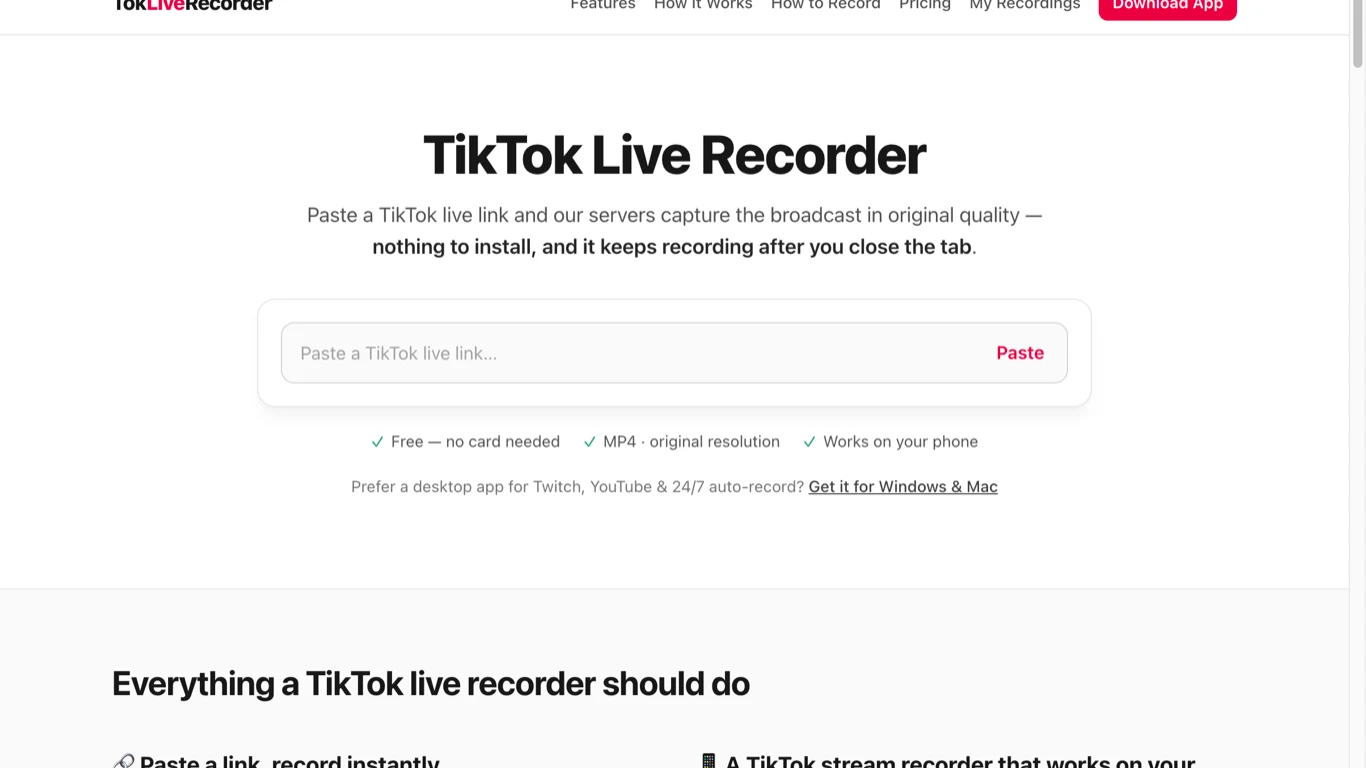
TokLiveRecorder is a cloud-based service designed to capture and save live TikTok broadcasts directly to MP4 files without requiring software installation. By pasting a public TikTok LIVE link into the browser, users can initiate a recording that runs entirely on cloud servers, meaning it continues even if the user closes the tab or locks their phone.
The tool solves the common problem of disappearing live content and avoids the drawbacks of traditional phone screen recording, such as burned-in comments, drained batteries, and tied-up devices. It is built for anyone wanting to preserve a clean, original-quality copy of a live stream before it ends and becomes unavailable.
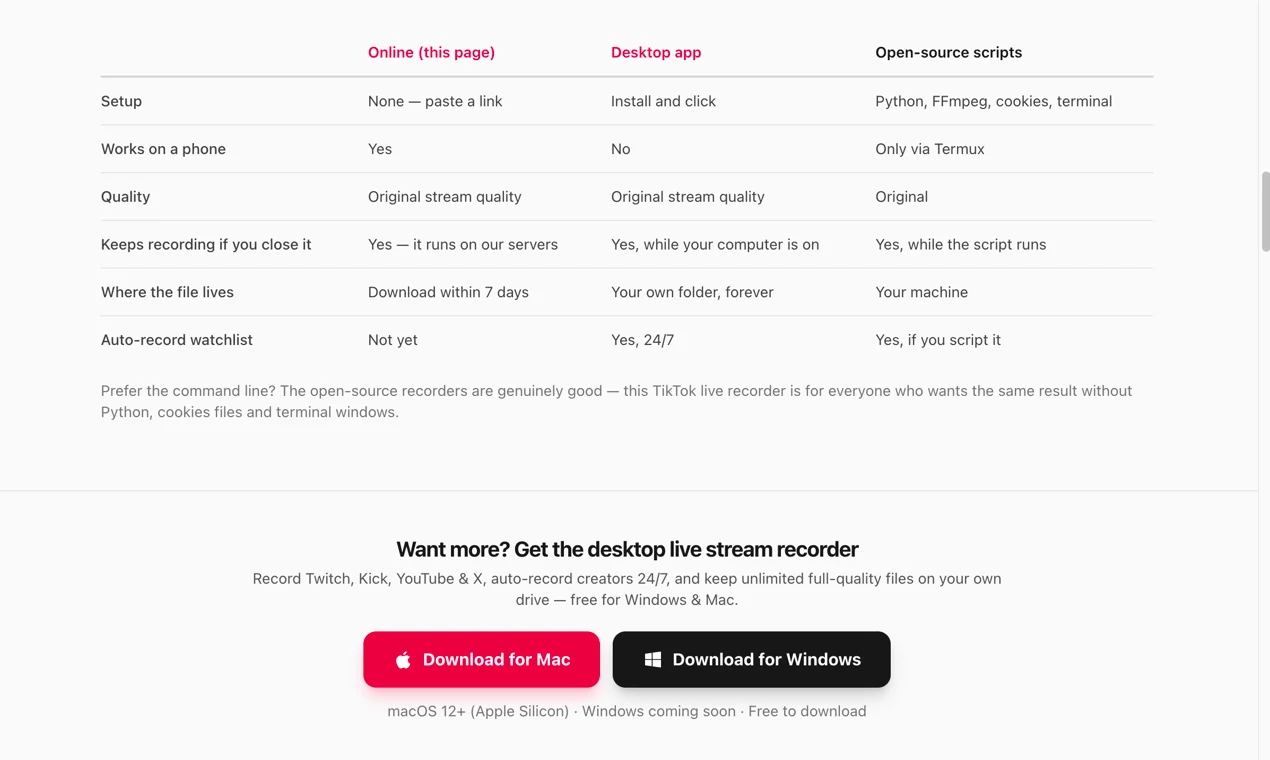
Once a recording starts, it runs on TokLiveRecorder's servers — you can close the tab or lock your phone and it keeps recording until the stream ends, you stop it, or your limit is reached.
The service captures the stream source itself rather than a screen, producing a clean, full-quality MP4 with no re-encoding, no resolution caps, and no burned-in comments or gift banners.
Your first 5 recordings require no account, card, or app install — paste a TikTok LIVE link in any browser (phone or desktop) and start recording.
An optional desktop app for macOS (Windows coming soon) records Twitch, YouTube, Kick, and X streams, can auto-record creators 24/7, and writes full-quality files straight to your own disk.
Signing in with Google gives you a saved recording library and an email the moment each recording is ready to download.
Copy the link of a TikTok LIVE that is currently running and paste it into the recorder box, then start recording. The recording captures from when it starts, not from an earlier point in the live you missed.
TokLiveRecorder's servers capture the broadcast in original quality. You can walk away — the recording continues whether or not your browser tab stays open.
Once recording and processing finish, download the full file from the page or the My Recordings library. You have 7 days before the cloud copy is deleted.
TokLiveRecorder is free — there is no credit card and no subscription. Cloud recording gives you 5 recordings with no sign-up (tied to your browser), then 5 recordings per day once you sign in with Google. Each recording can run up to 2 hours, 2 can run concurrently, in original stream quality with no watermark. Cloud files are kept for 7 days to download. Higher limits for heavy use are available
$0 forever
Everything, for everyone — no card required. Includes 5 recordings with no sign-up (then 5 per day signed in), up to 2 hours per recording, original stream quality with no watermark, 2 simultaneous recordings, 7-day file retention, and phon
It records TikTok (and Kick) LIVE streams in the cloud: paste a link to a live broadcast, its servers capture the stream in original quality, and you download the resulting MP4. You don't need to keep the page open while it records.
It is free. Your first 5 recordings need no sign-up, and signing in with Google gives you 5 recordings per day. There is no credit card and no subscription.
No. Cloud recording runs entirely in your browser on both phone and desktop. An optional free desktop app (macOS) adds Twitch, YouTube, Kick, and X support plus 24/7 auto-recording.

Comprime archivos PDF gratis en el navegador, sin registro y sin subir archivos al servidor.

Without an account: 5 free recordings tied to your browser. Signed in: 5 recordings per day, each up to 2 hours, with 2 recording at the same time. Files are kept 7 days. A recording only counts against your limit once it actually starts capturing — failed starts don't consume your allowance.
Recordings are MP4 files captured at the original stream quality — no watermark, no re-encoding, no resolution caps. Resolution depends on the stream available to the recorder. The short web preview is optimized for playback and is not the full-quality download.
The recording stops cleanly at the 2-hour cap and the MP4 remains valid and downloadable — you keep everything captured up to that point.
Cloud recordings are stored in private storage for 7 days, then deleted automatically — you're emailed before that happens. Once downloaded, the file is yours permanently with no expiry or DRM. Desktop-app recordings are saved straight to your own disk and never touch the service's servers.
Online recording covers TikTok and Kick LIVE. The desktop app additionally records Twitch, YouTube live streams, and X (Twitter) broadcasts, and can capture any application window on your computer.
